How to build the business case for a digital catalog


On the surface, it can seem like picking a catalog provider is as easy as going for the cheapest option that gets the job done. But with more than 50 providers out there, getting an overview of the digital catalog software market might not be as straight as you think.
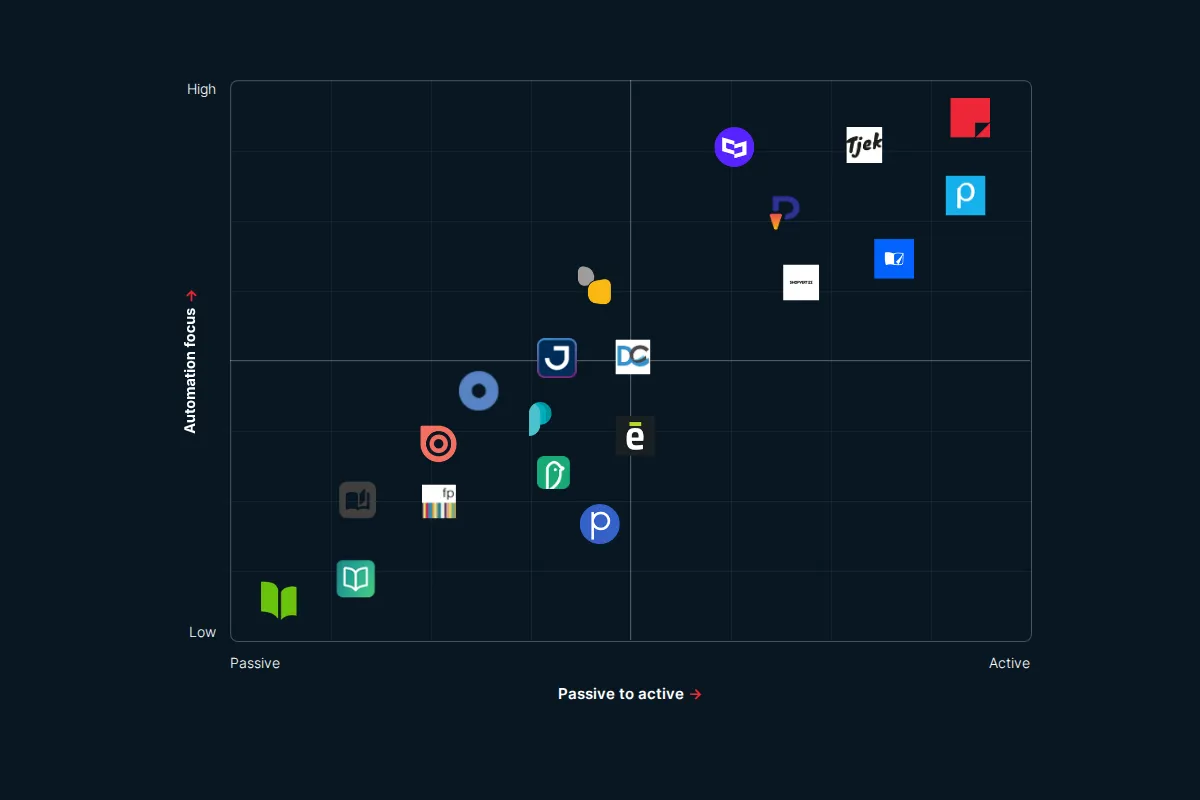
Not sure which kind of tool you need yet? Start with our overview of digital catalog software in 2026.
If you already know, the next step is getting it approved. Three objections come up again and again: budget, resources and timing. Here’s how to build your case around each one, with the questions that helped our customers get past them.
Tackling the budget question
Last year, we had a client who was eager to start optimizing their digital catalogs but faced budget issues, as it was in the middle of a budget year.
Here aresome questions we asked them:
1. Have you considered the return on investment over the initial cost?
When making buying decisions, it’s easy to get caught up in the cost-savings of paying 100 euros per month instead of 500, without considering the different results and potential ROI of the two options.
Ultimately, you may want to pay a little extra to get a lot more in terms of results and ROI, as Mr. Bricolage says:
“Compared to the effect that iPaper has, and the fact that it’s replacing the printed leaflet, we think it’s good value for money.” - Magdalena Kotupova, Marketing Director at Mr. Bricolage
2. Can the perspective be shifted to save budget on, for example, print?
Together, we reviewed the company's print budget and realized that by minimally reducing print for that year the cost of iPaper was easily covered.
The lower amount of print editions would then be compensated by the increased reach and activation by the online version.
As another company, Cristian Lay, says:
"For 1% of the cost of printing a catalog, we can create as many iPaper catalogs as we like."- José Antonio Del Pino, Senior Marketing Project Leader, Cristian Lay
Addressing resource limitation and a new workflow
Another company was confident that implementing a new digital catalog solution would boost sales and streamline processes for both their customers and sales team. However, they had very limited resources to implement iPaper.
Here’s what we asked them:
1. Can we, together, prioritize the most important features for your business case?
We reduced the initial scope of the implementation to focus on core features that would directly impact sales and generate feedback.
This allowed us to create a more lightweight account with a lower monthly cost to get them started.
2. How much of your manual work can we automate?
We also streamlined their setup process so that iPaper’s automations, along with our support team, handle most of the work.
All the company needed to provide was a PDF and an Excel sheet, and then they would have a published, interactive digital catalog in minutes.
So, switching to a digital catalog tool with automation may actually save you resources. For example, Rimi Baltics create weekly catalogs for three different countries:
“We save 4 hours per country per leaflet.” - Anda Latsa, Rimi Baltic
3. Is the perceived effort of implementing a digital catalog solution accurate?
The thought of switching a solution, learning a new system and changing processes can be overwhelming.
In reality, it might be as simple as uploading your PDF to a new platform, getting help from support as needed, and then letting automation take over.
As Ji Sport, a Scandinavian B2B business, says:
“It’s easy and user-friendly to work in the iPaper platform. It requires minimal guidance, and everyone can get started quickly.” - Anne-Cathrine Jørgensen, Sales and Marketing, Co-owner Ji Sport
Planning it in the year and getting the timing right
One of our clients wanted to implement iPaper but they were, at the time, also creating a new website.
The initial idea was to wait with implementing iPaper until the entire website was done, and then launch both the website and iPaper at the same time.
Here are three questions we asked them:
1. Would there be immediate gains of implementing the digital catalog?
The company concluded that the gains of a new digital catalog would be more or less immediate.
A new digital catalog solution could…
- give a better buying experience in an inspirational format
- provide more opportunities for online activation of customers
- for a time “make up” for a less than ideal website and webshop
2. Is there a logical gain by launching the two projects at the same time?
Their website upgrade was about creating a visual upgrade and improving user experience.
Their new digital catalogs, on the other hand, would be less about a new visual experience, but more about facilitating a new business case and buying experience.
The two projects had different goals.
3. If the benefits of a new digital catalog solution are immediate and independent of, for example, a new website, then why wait?
We met with the client and concluded that, given what they wanted, their ideal digital catalog solution could be implemented in days, while their website would require months of work.
The company ended up separating the two projects, and they launched their new digital catalog first, and got the immediate benefits of a better buying experience.
Later, they successfully launched the new, visually upgraded website and simply added the digital catalog link on the new website.
Conclusion
Budget, resources and timing are real constraints. Looked at the right way, though, they can help you build your case: what the catalog returns, what it takes off your team and what you lose by waiting. And these are the answers you should bring to whoever approves the budget.
Comparing specific tools? See how iPaper compares as a Publitas alternative, Flipsnack alternative or Issuu alternative. Or test the case on your own catalog with a free trial of Flipbooks or Horizon.
Continue Reading
The digital catalog software landscape in 2026

The Issuu alternative that's serious about selling
The Flipsnack alternative for retail marketing teams
Your catalogs will be in good hands
- We have over 20 years experience working with digital catalogs
- Our dedicated team of experts are on hand to guide you to success