The Flipsnack alternative for retail marketing teams


Not all digital catalog software is the same
With more than 50 catalog and flipbook solutions on the market, most fall into one of two categories:
Flipsnack and iPaper both sit in the active category: catalogs you can click, shop from and measure.
iPaper is the Flipsnack alternative for marketers who:
- Publish catalogs on a weekly or seasonal rhythm
- Want automation to handle the repetitive work
- Need the whole team in the platform without paying per seat
- Track how shoppers move through each catalog, from views and clicks to webshop visits
Try the automation yourself in our interactive demo
Flipsnack vs. iPaper compared: what is the difference?
Both platforms turn PDFs into interactive catalogs, add video and product links, and track what readers do. Where they differ is which plan you need for each feature.
Flipsnack is a design-and-publish tool used by many teams: marketing, sales, HR, training and real estate. Its Design Studio, templates and in-house design services make it easy to produce a good-looking publication without a designer. Catalog automation is there too, but it sits in Enterprise: the catalog generator, importing and syncing product data, SKU detection and automated interactions. PIM, ERP and ecommerce integrations are an Enterprise add-on.
iPaper is built for retail catalogs, so it starts from the other end. On Flipbooks, upload the PDF you already make for print. From Commerce Plus, enrichment automation adds product links and keeps product data updated daily, with in-catalog checkout over basket, WhatsApp, Viber or email.
Or skip the layout work altogether with Horizon. Your brand and layouts are set up once in page templates, so when Horizon builds a catalog from your product feed, it comes out designed and ready to go. Rulesets decide which products land where, and you only step in to fine-tune.
Why switch to iPaper?
Automate the repetitive work
Most retailers publish on a schedule: a weekly leaflet, a monthly offer, a seasonal catalog. The work around each one repeats. When you take these publications digital, the tedious part isn't the layout. It's linking hundreds of products and keeping prices right through every last-minute change.
On Flipbooks, enrichment automation links products and keeps their data current from Commerce Plus, and scheduling lets you line up publications ahead of time on every plan.
On Horizon, products, links and product information come straight from your feed and update together with it. On Flipsnack, the equivalent tools are Enterprise features.
Automate first, design after
Design-first tools ask you to build the layout and then connect the data. iPaper works the other way around.
On Flipbooks, you start from the PDF your designers already make and adjust the enrichments after automation has done its pass.
On Horizon, you get a generated catalog first, then move products, resize offer fields, add pages or change layouts in the editor.
Unlimited users on all plans
Catalog production is rarely one person's job. Category managers, designers and the ecommerce team all touch it. iPaper includes unlimited users on all plans, for both Horizon and Flipbooks. Flipsnack's Starter, Pro and Business plans each include one user, and Business can add up to four more at $25 a month each (checked October 22nd, 2026).
A setup built around your business
For Flipsnack, dedicated onboarding and training are part of Enterprise. With iPaper, setup help is included on every Horizon plan, and the Horizon trial is set up by our team with your own feed and brand. On Flipbooks, you get personal onboarding and an implementation specialist from Commerce Plus.
JYSK, one of the biggest retailers in Scandinavia, put it well:
iPaper is constantly focusing on optimizing features and highlighting business opportunities."
Read the full JYSK customer case here.
Track catalog visits and performance
Every iPaper catalog comes with built-in statistics, so you can see how shoppers engage without extra setup. You can also connect your own analytics, such as GA4, so catalog activity sits right next to the rest of your webshop data. Cross-domain tracking follows shoppers from the catalog into the webshop, so you can see which catalog visits turn into sales.
Danish online retailer 10-4 compared webshop sessions from visitors who used an iPaper catalog with sessions from visitors who didn't. Biased as we are, here’s what they found:
Is iPaper the right Flipsnack alternative for you?
Flipsnack is a strong choice if you want one tool for many kinds of publications: brochures, proposals, training material and HR guides next to the occasional catalog. Its Design Studio and templates suit teams who build each publication by hand, and the entry price is low, with a free plan and paid plans from $16 a month on annual billing (checked October 22nd, 2026).
Consider iPaper when you:
- Want to start from either a PDF or a product feed
- Are tired of repeating the same setup across frequent campaigns
- Publish across several markets, formats or campaign types
- Want automation to do the heavy lifting while your team keeps the final say
If you want to scale catalog production without scaling the manual work, that's the gap iPaper fills.
See how iPaper works with your workflow
The best way to compare catalog platforms isn't counting checkmarks. Bring your current PDF, product feed or recurring campaign workflow and see how iPaper handles it.
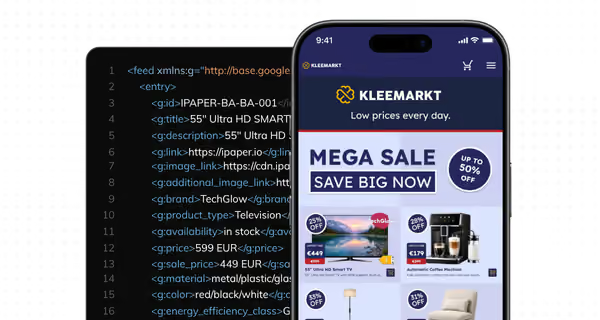
Start from product data
Build shoppable catalogs from your webshop's product data. Products are added and updated automatically.
Get started with iPaper Horizon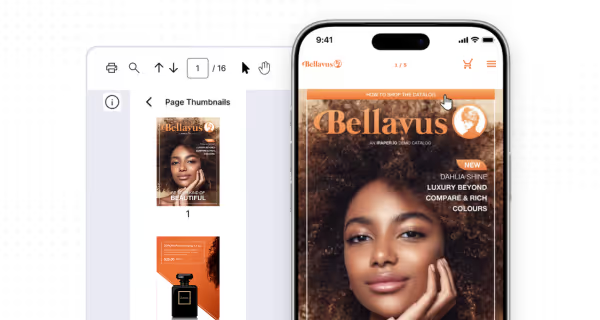
Start from a PDF
Upload your PDF and make it shoppable, with links to your webshop or checkout in the catalog.
Get started with iPaper Flipbooks
FAQ
Is iPaper a good alternative to Flipsnack? Yes, if you promote offers in catalogs or leaflets and want to publish more of them without adding more manual work.
What's the main difference between iPaper and Flipsnack? Flipsnack is design-first: you build the layout, then connect your product data, and the tools for that are Enterprise features. iPaper is focused on automation first. Horizon builds the catalog from your feed using page templates set up once in your brand, and on Flipbooks, enrichment automation links the products in your PDF from Commerce Plus.
Do I need an enterprise plan to automate catalog production on iPaper? No. Automation is part of our standard plans, whether you build catalogs from your product feed or start from a PDF. As your production grows, higher plans give you more capacity.
Can iPaper create a catalog without a PDF? Yes. iPaper builds digital-first catalogs directly from a product feed using templates and rulesets. Marketers can then adjust the result in a drag-and-drop editor.
Can iPaper schedule several catalogs at once? Yes. You can line up several catalogs in advance and let each one go live on schedule, instead of timing each one and putting them online manually.
Does iPaper have shopper analytics? Yes. iPaper supports catalog statistics and integrations with Google Analytics 4 and Google Tag Manager on every plan. Cross-domain tracking follows shoppers from the catalog into your webshop.
Can I try iPaper before I switch? Yes, both ways of working offer a free 14-day trial. Starting from a PDF? Start a free Flipbooks trial and turn an existing PDF into an interactive, shoppable catalog. Want to build from product data? Request a free Horizon trial and we'll set up your account with your product feed and brand.
Continue Reading
The Publitas alternative for scaling catalog production
How would shoppers react to the death of print?
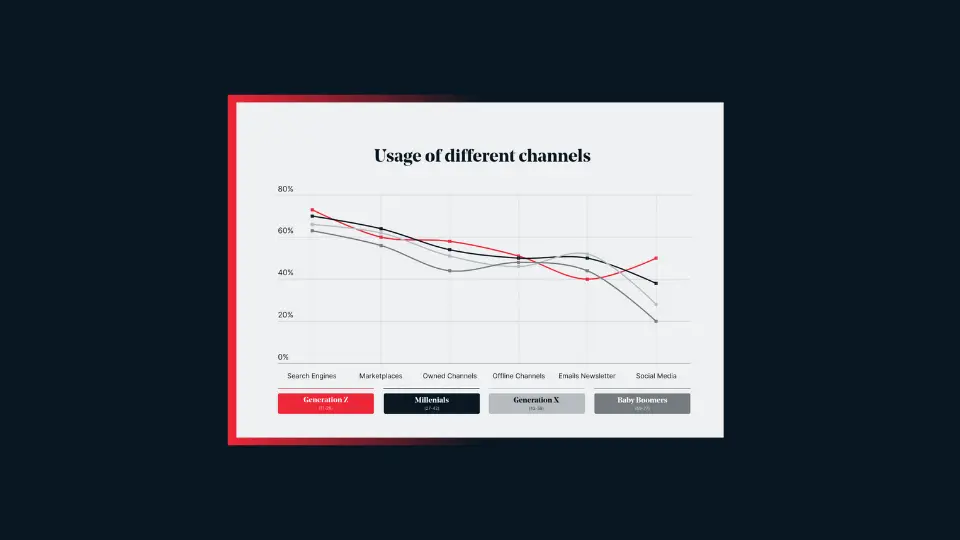
How different generations use printed and digital catalogs
Your catalogs will be in good hands
- We have over 20 year’s experience working with digital catalogs
- Our dedicated team of experts are on hand to guide you to success