How to go from print to digital catalogs effectively


Print today
Printing and distribution is becoming more and more expensive. Legislation is threatening with added sourcing-transparency processes and further increased prices.
The effect is that retailers are printing fewer catalogs.
Print can still deliver strong ROI, particularly when targeted at valuable customers, but printing and distributing millions of identical catalogs is slowly being replaced by more selective print, alongside an increased focus on digital channels.
The data shows that, with the reduction in print, there is a huge need for a catalog-like format online: Shoppers believe that the best online replacement for print is digital catalogs.
But, for most retailers, the digital catalog is totally dependent on the print PDF.
Why does friction arise between print and digital?
For most retailers, the digital catalog starts with the same PDF created for print.
Print is a huge operation that takes a lot of time, and internal and external resources.
Therefore, the print PDF is often well-planned, on a schedule and in a constant roll of creating the next catalog when the current one is done.
And the dependence of digital catalogs on the print PDFs kills flexibility for the digital catalog:
- Creating an additional digital catalog must be planned weeks or months ahead.
- Making changes, due to for example weather, means updating the print PDF manually – and hope that it isn’t already sent for printing.
- Product information (price, out-of-stock) doesn't automatically update in the PDF when the underlying data changes.
In other words, digital catalogs have the potential to be much more flexible than print, but a print-based workflow prevents retailers from taking full advantage of it.
The promise of digital-first
The way to remove that friction is to detach the digital catalog from the print PDF workflow.
By creating digital-first catalogs, not based on a PDF, retailers can run digital catalogs independently of print.
That way, retailers can create more digital catalogs for different campaigns, audiences, themes or product selections without needing a print PDF.
And, long term, there’s potential to flip the workflow entirely: To create the digital-first catalogs and then create the print PDF – and other assets – directly from the digital catalog.
But making the transition from print-first to digital-first isn’t something most retailers can do quickly in one go: It’s a process with many steps, including finding ways to bridge print and digital while both workflows operate side by side.
Print-to-digital roadmap: The stages of digital transformation
For most retailers, the transition from print to digital-first looks something like this:
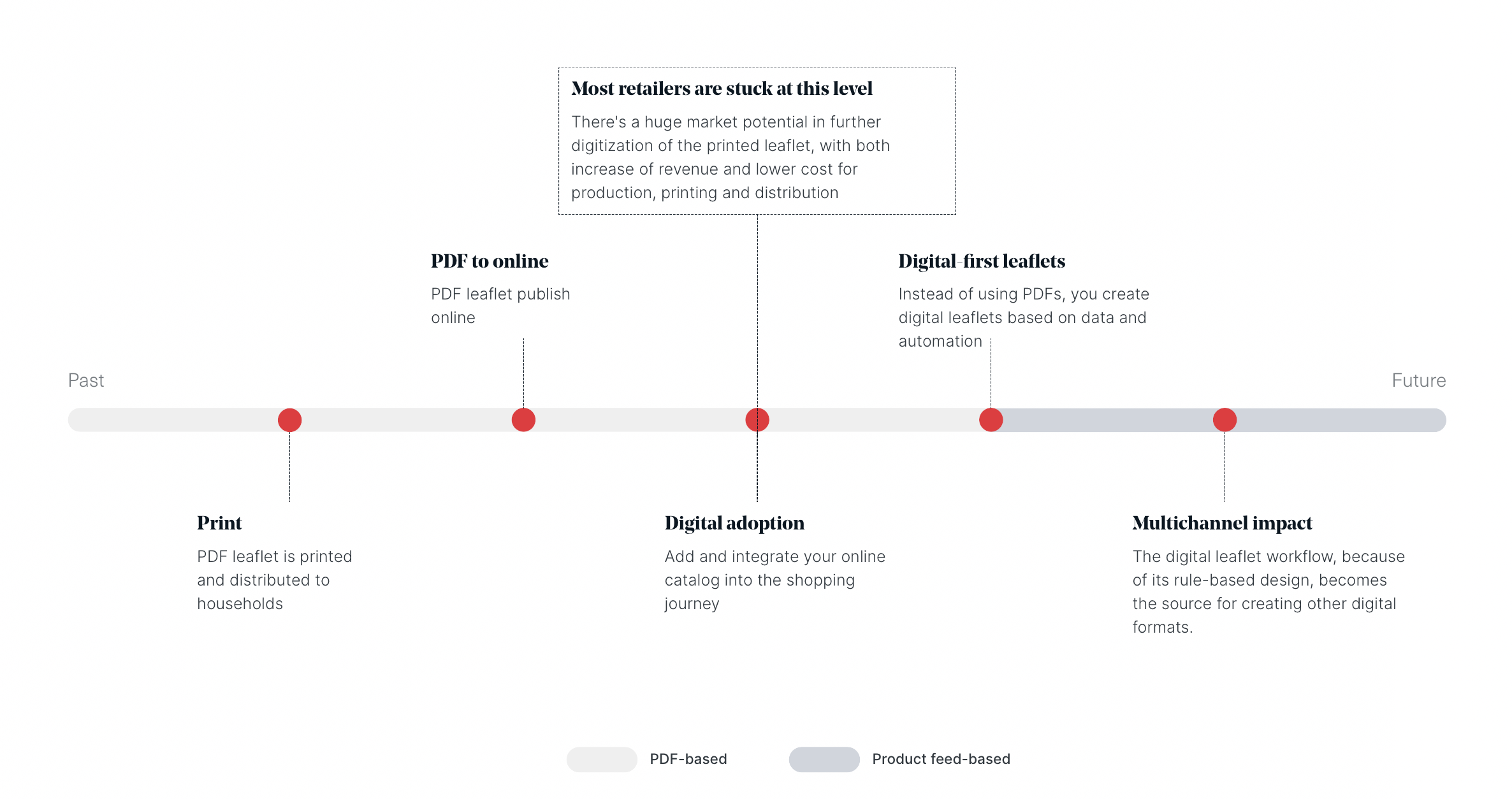
Each step opens up new options, but can also create friction. That's particularly true while print and digital need to coexist, until you reach the “Digital-first catalogs” stage.
The starting point is typically traditional print production.
At this stage, retailers create a PDF catalog that’s printed and distributed to households. The print version is the primary campaign asset, with digital channels taking a secondary role.
For many retailers, the teams, systems and processes supporting print have been refined over many years.
And that makes changing them difficult.
But the next step in the transition is, fortunately, easy – and doesn’t require changing any of the print processes.
PDF to online – Expand your reach
The first step toward digitalization is simple: take the print PDF and publish it online.
For many retailers, the ability to turn a print catalog into a digital catalog is an effective starting point. It adds a digital channel without requiring a new content production process.
Once the catalog is online, it can become part of your wider marketing mix (website, newsletter, paid campaigns) rather than something customers have to find on their own.
“In our first six months we increased our digital catalog sessions by 40% per week.”
Jürgen Egger, Marketer, SPAR Switzerland
But simply putting the PDF online, and distributing it, is only the beginning.
To get more from the digital catalog format, you need to take the next step on the timeline, and think about 1. where customers encounter the digital catalogs, and 2. what they can do once they open it.
Digital adoption – Conversions & revenue
The digital catalog is an online campaign ‘destination’. It will inspire online shoppers, but it should also give them a logical next step on their buying journey.
A shopper might want additional product information. They might want to visit a product page, add an item to their basket or find their nearest store or continue directly to purchase.
Digital catalogs can provide those next steps:
- Products can link directly to ecommerce product pages.
- Shoppers can add products to an in-catalog basket.
- Additional information can appear in pop-ups.
- Retailers can add calls to action, videos and other interactive content.
When those features are implemented, the digital catalog stops being a static copy of print, and instead becomes part of the online customer journey.
“10% of all global orders and 20% of all Oriflame products added to the basket are now through the digital catalog. So, this is a significant way of selling and processing our orders.”
Marcus Fogel, Senior Director Global Digital Services, Oriflame
But there is still a limitation…
The digital catalog is still totally dependent on the print PDF. Meaning, no PDF, no digital catalog. And that probably means you can’t make extra catalogs, increase the cadence or make quick changes that are often necessary to win in an online, ecommerce world.
Digital-first catalogs – Remove the PDF dependency
As digital becomes a larger part of the marketing mix, it’s only natural to want to create digital catalogs specifically for digital use.
The solution is a digital-first workflow where digital catalogs are created using automation and product data from a feed, rather than PDFs.
Then…
- Campaigns can then become more frequent.
- Validity periods can become shorter.
- You can create digital catalogs around particular product categories, seasons or audiences without waiting for the next print campaign.
Bilka, part of Salling Group, Denmark's largest retail group, can now create targeted digital catalog campaigns quickly and without involving an external agency:
“We made a garden catalog that we wouldn’t otherwise have made. Whereas the creation of printed catalogs are handled by an external agency, we can now do it ourselves.”
Morten Ellidshøj Fruergaard, Project Leader, Bilka
10-4, a Danish DIY retailer, now creates biweekly digital leaflets and the results confirm that it's a format their customers want:
You can read the full case and the results here.
So, at this stage, with print and digital catalogs working independently, you might think you’re done.
But, now that you have the digital-first workflow, why not use it to create more than just digital catalogs?
Multichannel impact – Create once, use across channels
The final step is to use the digital-first workflow as the foundation for producing content across multiple channels and formats.
Instead of running one production process for digital catalogs and separate processes for print, online ads, website assets, you can create content once as a digital catalog and reuse it.
Outputs could include:
- Digital catalogs
- Digital PDFs
- Printable PDFs
- In-store signage
- Website content
- Images for paid campaigns
- Other digital placements
This reduces production effort and cost, and improves speed and consistency.
At this final stage, digital-first content becomes the foundation from which many different outputs are created.
Summary
- Print is becoming more expensive, pushing retailers to reduce print volumes and invest more in digital channels to reduce costs, improve flexibility and simplify production.
- Most digital catalogs still depend on print PDFs, limiting how quickly retailers can launch campaigns, make changes and respond to market trends.
- The transition to digital-first happens in stages: Moving print PDFs online, adding interactive and ecommerce features, removing PDF dependency and, eventually, creating content for multiple channels from one workflow.
- The ultimate goal is a multichannel workflow where retailers create content once and reuse it across digital catalogs, print, websites, advertising and in-store materials.
Continue Reading
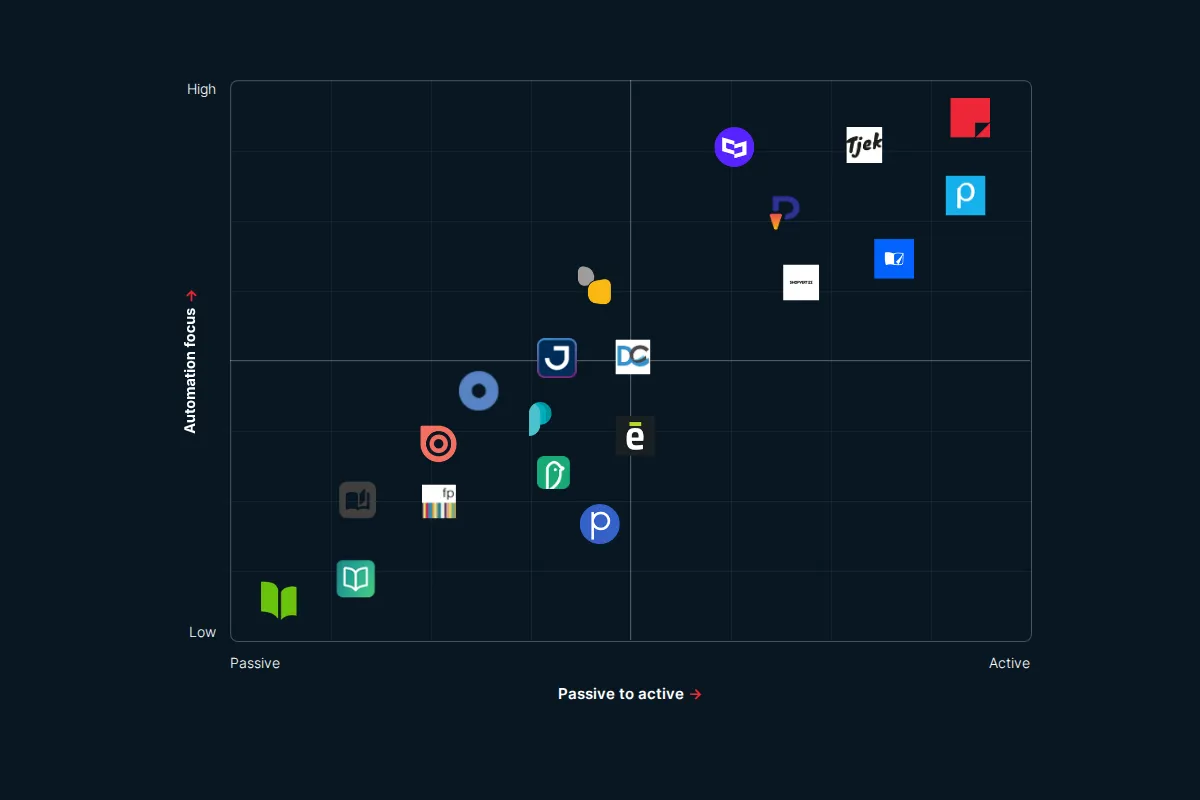
The digital catalog software landscape in 2026
The Issuu alternative that's serious about selling
The Flipsnack alternative for retail marketing teams
Your catalogs will be in good hands
- We have over 20 years experience working with digital catalogs
- Our dedicated team of experts are on hand to guide you to success